Free and open source
Open source Mac apps, installed the Mac way.
OpenDMG is an app store for open source Mac apps. Press Get, and it downloads the developer's own release from GitHub and installs it for you. No account. Nothing tracked.
Get OpenDMG for Mac
Coming soon. Free, for macOS 14 or newer, on Apple silicon and Intel Macs.


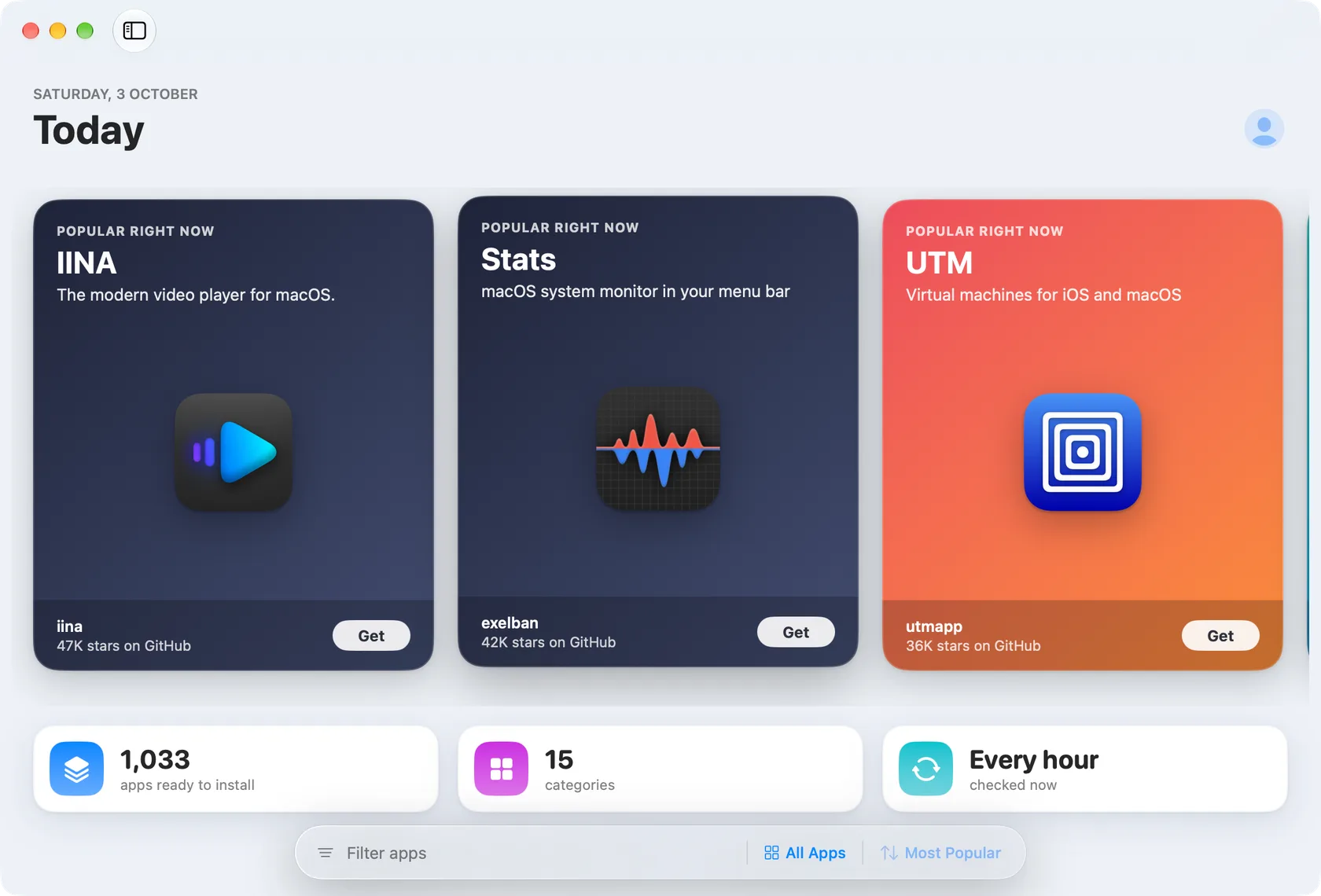
1000+ apps ready to install, one Get button.


- 1,033
- apps ready to install
- 15
- categories
- 1 hour
- between checks for new releases
- 0
- accounts, trackers or ads
The app
A real Mac app, built the native way.
OpenDMG is written in SwiftUI. It opens instantly, works with the keyboard, follows light and dark mode, and keeps showing the catalog when you are offline. These are screenshots of the app itself, running on the catalog you see on this page.
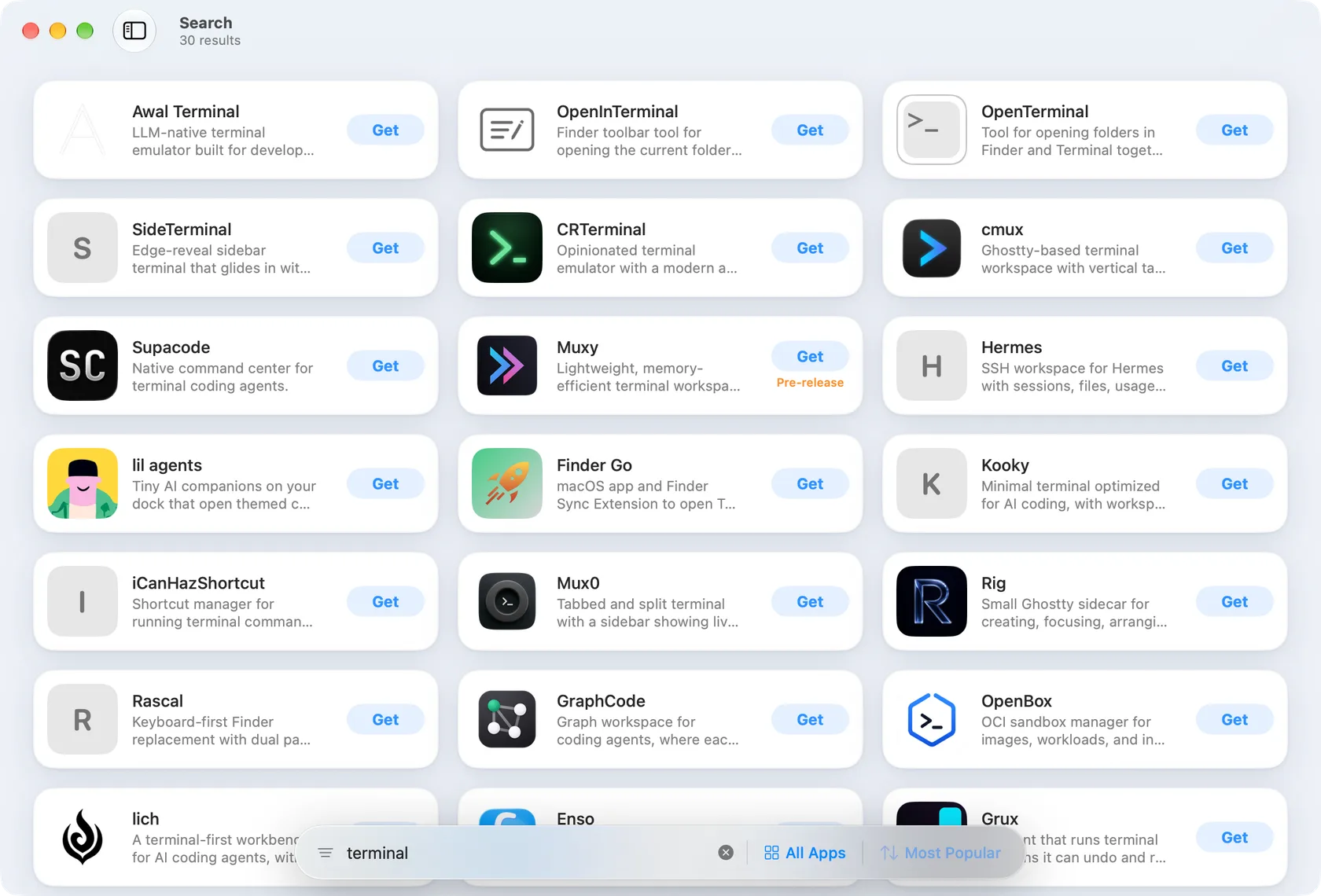
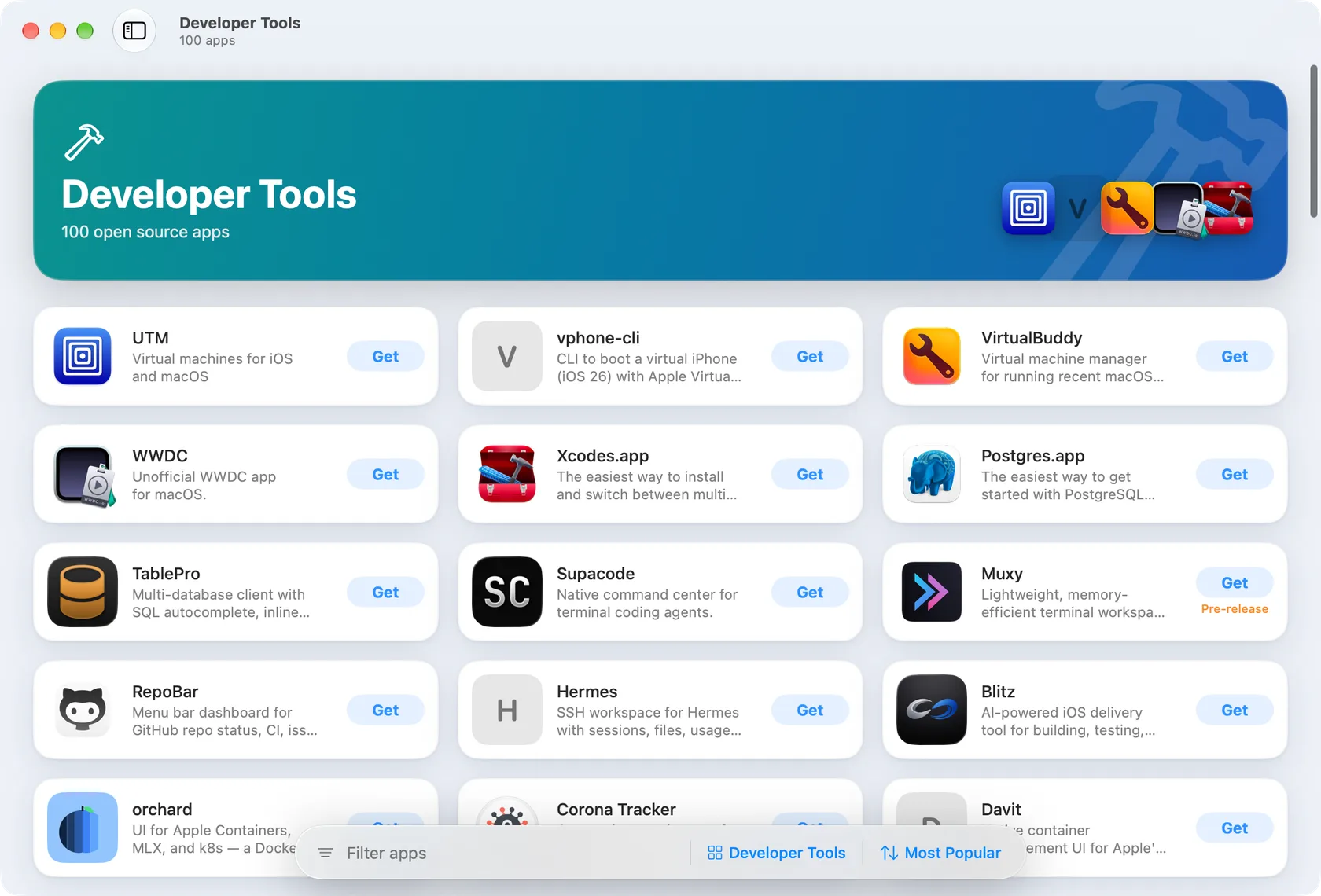
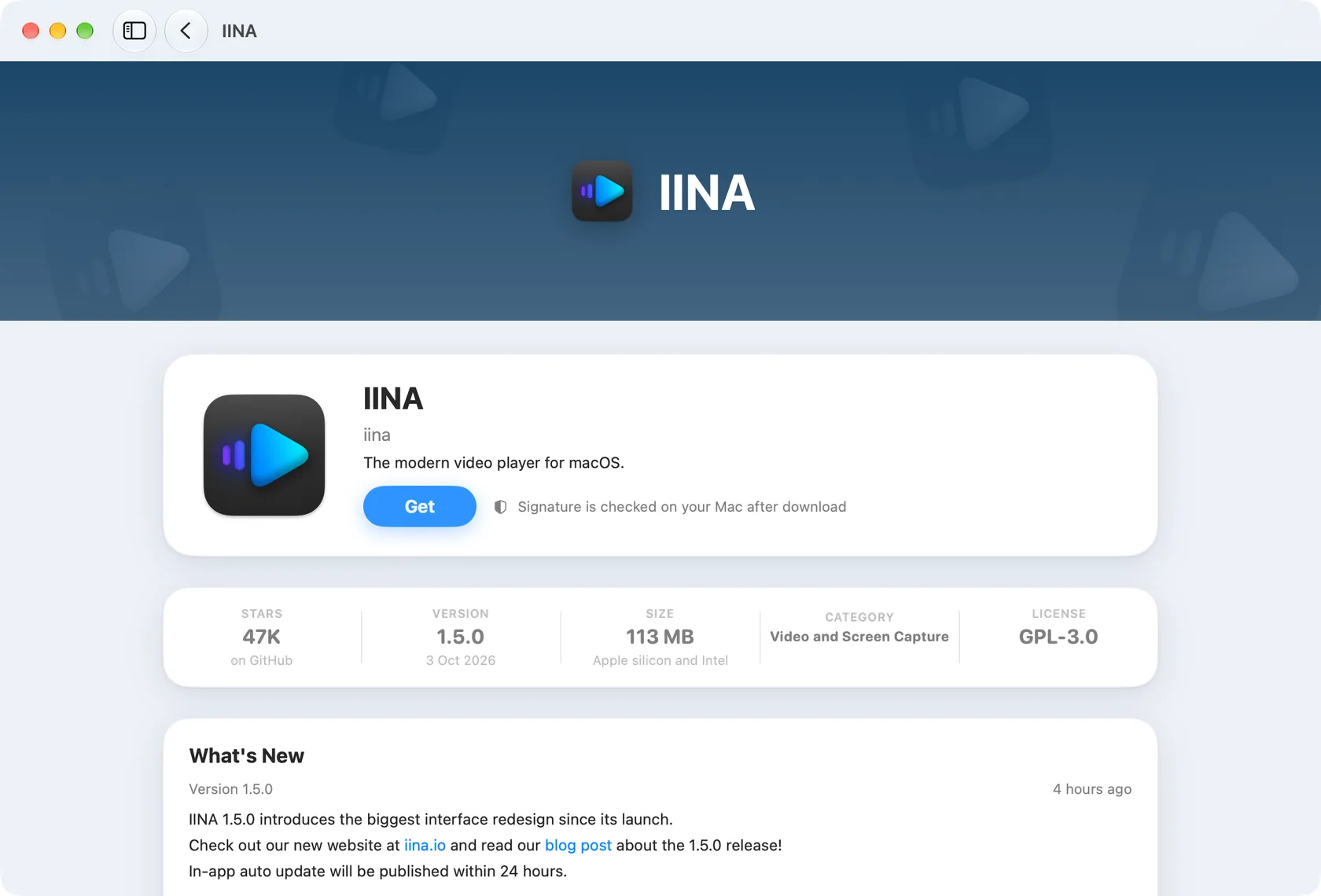
- TodayPopular picks, new releases and every category, refreshed with each catalog check.
- App pagesRelease notes, version, size, license and the trust label, before you install.
- Categories15 of them, each with its own banner and most popular apps.
- SearchInstant and local. Names match first, then developers and taglines.
The catalog
Every corner of the Mac.
Live from GitHub
New releases land within the hour.
Most Popular
How it works
Three steps, all inside the store.
Find
The catalog is built from the community-kept awesome-swift-macos-apps list and refreshed every hour. Each app shows its latest release, size, license and what changed.
Get
OpenDMG downloads the installer straight from the developer's GitHub release, checks its SHA-256 fingerprint when GitHub provides one, and copies the app into Applications.
Stay Updated
When a developer publishes a new version, OpenDMG notices and updates the app, or asks you first. Pre-releases are labelled and never installed unless you choose them.
Gatekeeper Stays On
OpenDMG never bypasses macOS security. Every app keeps its quarantine flag, so macOS runs its own check on first launch.
- Notarized apps open normally.
- Not notarized means a clear warning before you install.
- A broken signature stops the install. Always.
- Downloads come only from github.com, over HTTPS.
Installing
One press. Five checks.
Get is not a link to a download page. OpenDMG does the whole job, and stops the moment something does not add up.
- Straight from the developer.The file comes from the GitHub release, over HTTPS, and from nowhere else.
- Checked before it runs.Fingerprint, signature, processor type and macOS version are checked before anything is copied.
- Clean on your disk.Disk images are ejected and downloads are deleted when the install is done.
- DownloadFrom the developer's GitHub release
- FingerprintSHA-256 compared with the catalog
- UnpackDisk image mounted read-only, or archive opened
- SignatureDeveloper ID and notarization checked on your Mac
- ApplicationsCopied into place, Gatekeeper still active
Updates
New versions, without the nagging.
The catalog checks every app on GitHub each hour. When a developer ships a release, OpenDMG knows, and updates the app quietly or asks first, as you prefer.
- Never a downgrade.An update is offered only when the version is really newer.
- Pre-releases stay optional.Alpha and beta builds are labelled and never installed over a stable version by themselves.
- Open apps are left alone.A running app is never closed silently. You choose when to quit and update.
Released lately
Before you press Get
Know exactly what you install.

MonitorControlMonitorControlAdjust external monitor settings
Get
- Version
- 4.4.0
- Released
- Sep 15, 2026
- Size
- 20.4 MB
- License
- MIT
- Installer
- .dmg
- Fingerprint
- SHA-256 checked
What's new
This is a maintenance update addressing compatibility issues with macOS 27 Golden Gate and macOS 26 Tahoe, helping keep our beloved MonitorControl going in its original glory. It is for thos…
- The real release, not a copy.Version, date, size and release notes come straight from the developer's GitHub release, checked every hour.
- The right build for your Mac.Apple silicon, Intel or universal: OpenDMG picks the native file and says so when an app needs Rosetta.
- A trust label before the download.Notarized, not notarized, or unknown until checked. Signatures are verified on your Mac after download, every time.
- A way back.Uninstall moves the app to the Trash. Nothing is hidden in system folders by OpenDMG.
Why a store
The same apps, without the chores.
TaskBy hand, from GitHubWith OpenDMG
Finding an appSearch GitHub, read READMEsOne catalog, 15 categories, instant search
InstallingPick the right file, open the .dmg, drag, eject, deletePress Get
UpdatesRemember to check each repositoryDetected within the hour, installed for you
Pre-releasesEasy to grab an alpha by accidentLabelled, and only if you ask
macOS securityGatekeeper checks the appGatekeeper still checks the app, plus a signature check first
Where things stand
Built in the open, one step at a time.
- Done
The catalog
1,033 apps, checked against GitHub every hour, with icons, release notes and installer files.
- Done
Review tools
Every listing can be switched off, corrected or featured, and submissions are reviewed by hand.
- Done
Browsing
The Mac app shows Discover, categories, search and app pages, online and offline.
- Up next
Installing
Download, fingerprint and signature checks, and the copy into Applications.
- After that
Updates
Automatic updates with stable and pre-release channels.
- Then
Public release
A signed and notarized OpenDMG, downloaded from this page.
For developers
Submit your app.
Built an open source Mac app that is not in the catalog? Send its GitHub repository. Every request is reviewed by hand before anything is added.
- Open source, on GitHub.A public repository with a license.
- A Mac app.Something people open from Applications, not a library or a command line tool.
- A release to install.The latest GitHub release needs a .dmg or .zip file. A signed and notarized build is best.
Built in the open
Made by one developer, in public.

Arvind Kumar
@aarvnd on GitHub
Follow on GitHub
OpenDMG is designed and built by Arvind. Follow the work, report a problem, or just say hello.
Questions
Short answers.
Is it free?
Yes. OpenDMG is free and open source. The apps in it are open source too, and each one shows its license.
Which Macs does it run on?
macOS 14 or newer, on Apple silicon and Intel. On Apple silicon, OpenDMG prefers a native build and tells you when an app would run through Rosetta.
Where do the downloads come from?
Straight from each developer's GitHub release. OpenDMG keeps only a small catalog with names, versions, icons and links, and sends nothing about you anywhere.
What about apps that are not notarized?
They are shown, with a clear label. Before installing, OpenDMG explains that macOS will ask you to allow the first launch in System Settings. An app with a broken signature is never installed.
Does it update apps I installed myself?
Not in the first version. OpenDMG updates the apps it installed, so it always knows where each one came from.
What does OpenDMG know about me?
Nothing. There are no accounts and no analytics. The app downloads the catalog and the installers you ask for, and that is all.
My app is not in the catalog. Why?
The catalog lists open source Mac apps from the awesome-swift-macos-apps list whose latest GitHub release has a .dmg or .zip file. Search for your app above to see whether it is listed and, if not installable yet, what is missing.

Your Mac, more open.
Get OpenDMG for Mac
Coming soon. Free, for macOS 14 or newer, on Apple silicon and Intel Macs.